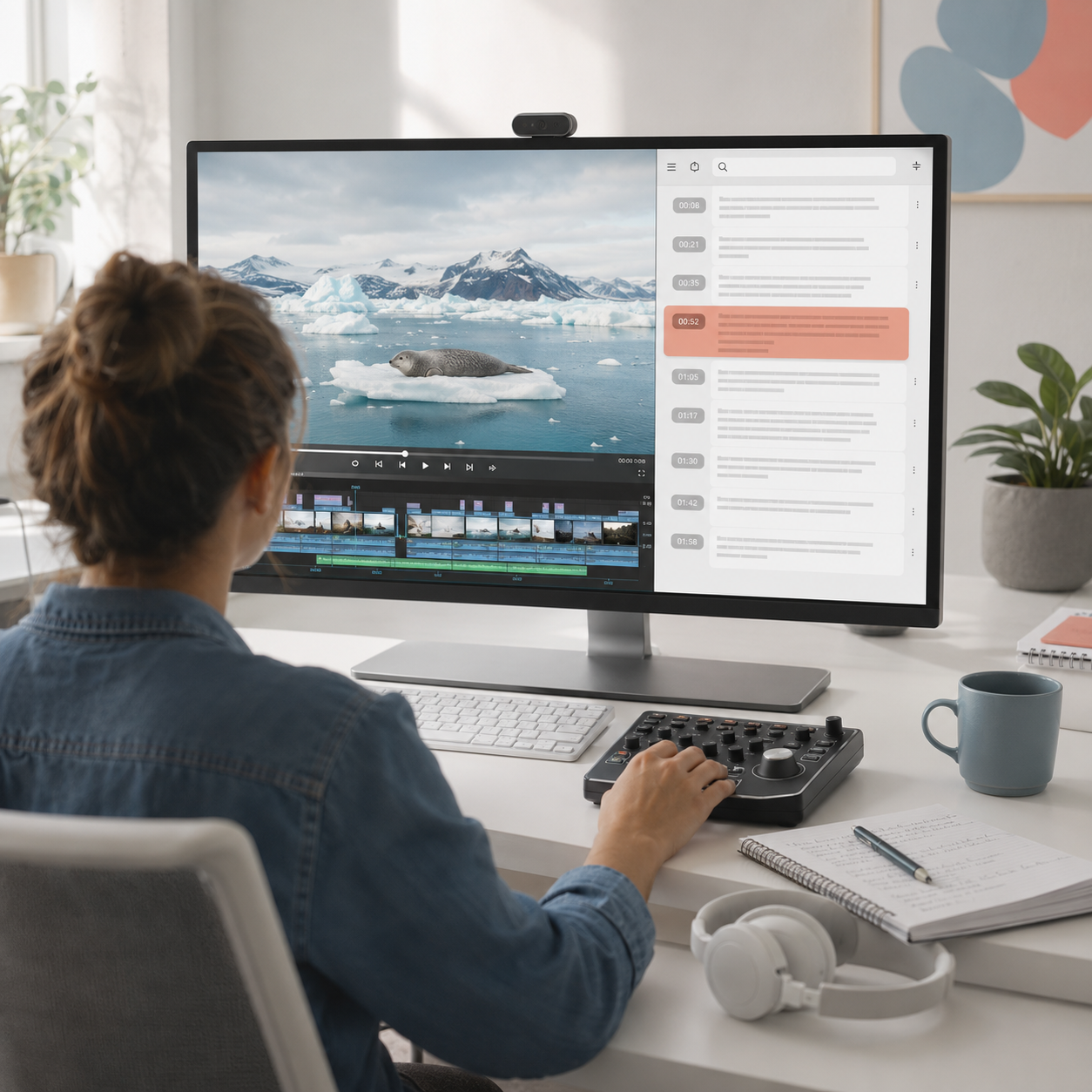
Video To Text Generator for Recorded Footage
Use a Video To Text Generator when the recording is on your device and the spoken details need to become readable working material.
TranscriptVideo | Manual transcription | |
|---|---|---|
| Start from a local file | Direct file workflow | Extra preparation |
| Transcribe video to text | Automated draft | Typed line by line |
| Locate spoken details | Searchable passages | Repeated playback |
| Check source context | Timed reference | Detached notes |
| Organize long footage | Connected structure | Separate outline |
| Prepare new assets | Seven follow-up tools | One transcript |
A Video To Text Converter with Source Context
The useful result is not just a block of words; it is a navigable record for finding, checking, and reshaping what was said.
Upload
Bring original footage, a meeting export, a class recording, or an interview file into the video to text workflow.
Find
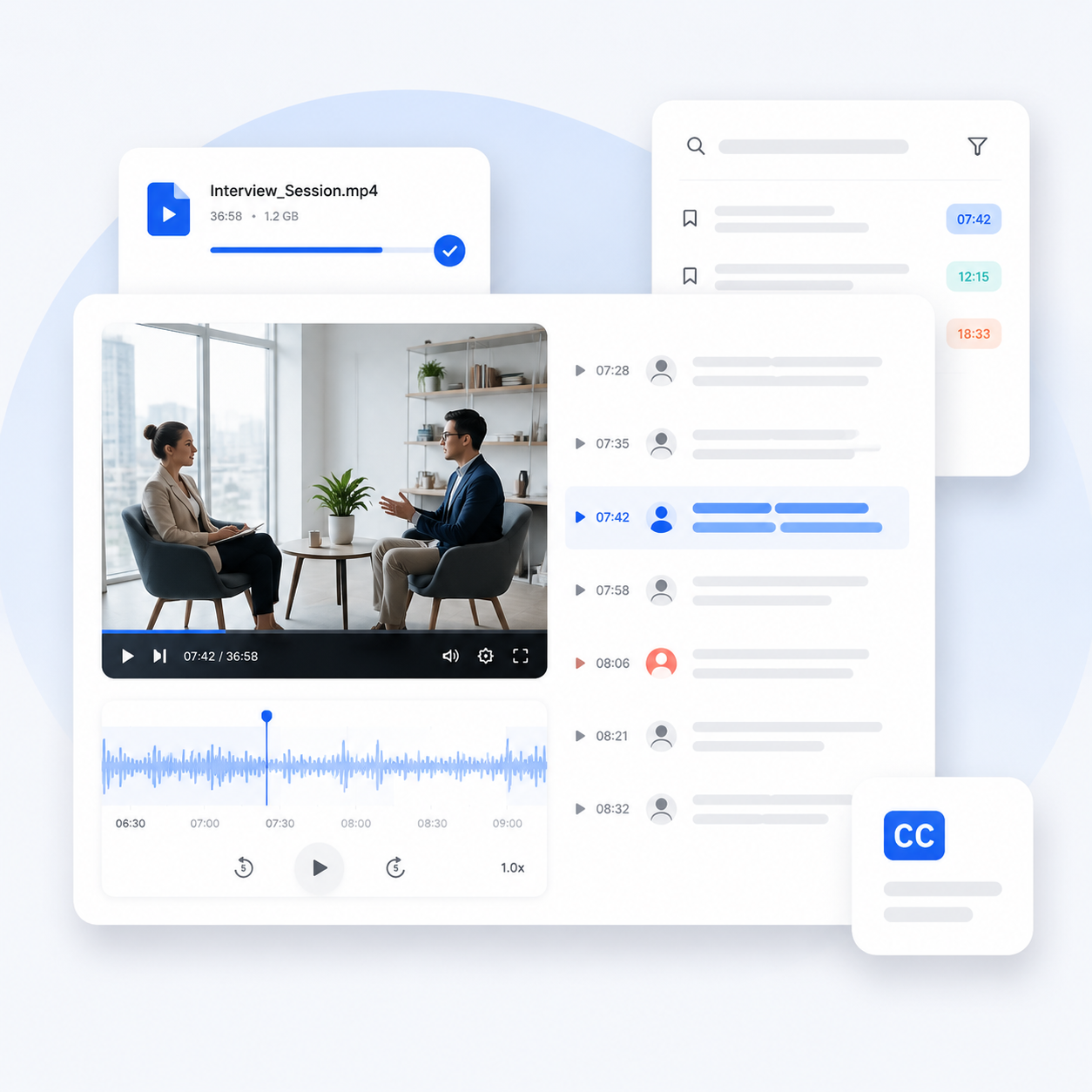
Reach a spoken term faster by searching the transcript instead of estimating where it appears in the runtime.
Verify
Compare important wording with the source before it becomes a quotation, caption, brief, or published claim.
Reuse
Let the Video To Text Generator supply source material for chapters, notes, learning aids, visuals, and translations.
Who Needs to Convert Video to Text
Different teams need different outputs, but each begins with text that preserves the substance of the recording.
- Identify statements worth clipping
- Draft chapters and show notes
- Search for alternate takes by phrase
- Confirm names and figures before captions
- Prepare concise handoff notes
- Retrieve customer language
- Separate findings from assumptions
- Review decisions with their context
- Summarize themes for stakeholders
- Create a searchable project record
- Turn lessons into topic chapters
- Create summaries for orientation
- Build flashcards for key terms
- Generate questions for review
- Locate explanations by keyword
Less Scrubbing, More Useful Review
“Our documentary interviews can run for ninety minutes. The Video To Text Generator lets me search every answer for a theme, then return to the exact passage before I send edit notes to the director.”
Marcus Lee
Assistant producer
“I upload customer research recordings and use the transcript as an evidence index. It is much easier to compare repeated problems when the language is searchable and each observation can be checked against the video.”
Talia Green
Product researcher
Video To Text Generator Questions
What to expect when you upload footage, generate timed text, and prepare it for another task.
How do I transcribe video to text?
Choose the Video tab, select a supported file from your device, set the available transcription options, and start generation. The Video To Text Generator organizes detected speech into readable passages for search and review.
Is this a video to text converter for local files?
Yes. The dedicated upload workflow is intended for footage stored on your device, including original recordings, downloaded meeting files, interviews, lessons, demonstrations, and other speech-led media.
Can I transcribe video to text free?
Available usage depends on the current plan and transcription tier shown in the product. Review those options in the workspace before processing a long file or enabling premium features such as speaker separation.
Does video to text transcription include timestamps?
The result includes timing context that helps you move from a text passage back to the relevant moment. Use it to confirm uncertain words, examine visual context, or mark a section for editing.
Can the tool identify multiple speakers?
Speaker separation can make interviews, panels, meetings, and research sessions easier to follow and is available with the premium transcription tier. Review rapid exchanges and overlapping voices against the source.
Can I translate video to text in another language?
First generate a transcript from the source speech, then use the translation tool to create another language version. Translation is a follow-up output, so verify specialist terms, names, and context-sensitive phrases.
What affects the accuracy of a video transcript?
Clear speech and clean audio generally support a stronger draft, while noise, music, accents, overlapping voices, uncommon names, and specialist vocabulary can introduce errors. Review important passages before external use.
Can I use the transcript for captions?
The generated text can support a caption preparation workflow, but final captions may require timing, line-break, speaker, sound-cue, and accessibility checks. Treat the Video To Text Generator result as working source material.
What can I create from video to text output?
Use the text for summaries, chapters, mind maps, flashcards, quizzes, infographics, and translations. You can also search it for edit points, quotations, decisions, terminology, and reusable ideas.